



1. Qual é o propósito das interfaces em Java?
Escolha únicaGerador de Resumos - Claros, com IA resumos de qualquer documento
Carrega um documento longo, escolhe os tópicos que te interessam e obtém um resumo estruturado com os pontos-chave, definições e conclusões, pronto para revisão em segundos.
Modo convidado
Estás a utilizar o Eduloo Summary Generator como convidado. A demonstração é totalmente funcional, mas com capacidade limitada e armazenamento temporário. Cria uma conta ou inicia sessão para guardares os teus dados e desbloqueares a versão completa.
Utilização
- Conteúdo
- Flashcards
- Questionários
- Resumos
- Podcasts
Biblioteca de resumos
Transforma material extenso em ideias claras com cartões fáceis de ler e acesso rápido aos temas principais.
As grandes ideias, em pequenas doses.Skim the summary, find the weak spot, drill it.Every topic links back to the page it came from.A summary is a map. Loo marks where to dig.Loo keeps the structure, not just the highlights.Read in one language, summarize in another.
Adicionar novo cartão
Criar novo questionário
Criar novo resumo
Editar perguntas
Selecionar tipo de pergunta
2. Java é uma linguagem de tipagem estática.
Verdadeiro/Falso3. Completa a frase: Java utiliza ____ e ____ para gestão de memória e controlo de threads.
Preencher os espaços4. Faz corresponder cada coleção Java à sua característica.
CombinaçãoCriar novo podcast
Gestão de espaços de trabalho e disciplinas
Nome
Ações
Sem disciplinas
Fundir baralhos
A carregar baralhos...
Combinar questionários
A carregar questionários...
Temporizador Pomodoro
Mantém o foco com o método Pomodoro: sprints de foco de 25 minutos equilibrados com pequenas pausas.
Sessão 1 de 4
25:00
A seguir: Pausa
25 min
5 min
Classifica este item de estudo
Indica como achaste este conteúdo e deixa um comentário para a equipa, se quiseres.
Opcional. Apenas texto simples.
Tópicos do documento
1Cria ou gera automaticamente um tópico. 2Clica nas secções do PDF para as adicionar.
Clica nas secções do PDF para as selecionar para este tópico.
Ainda não há secções selecionadas.
Ainda não há tópicos.
Fragmentos disponíveis
Nenhum fragmento disponível.
Seleciona um tópico para ver a sua localização no documento.
Fonte desta questão
A carregar fontes...
Fonte já não está disponível.
Queres importar o teu conteúdo de estudo de convidado?
Sessão de convidado encontrada
Encontrámos conteúdo de estudo criado na tua sessão de convidado. Importa-o agora para manteres tudo organizado na tua conta.
Como funciona
De 200 páginas até ao resumo numa única página em quatro passos.
Quatro passos entre um PDF longo e um resumo estruturado que consegues ler em minutos.
01
Adicionar material
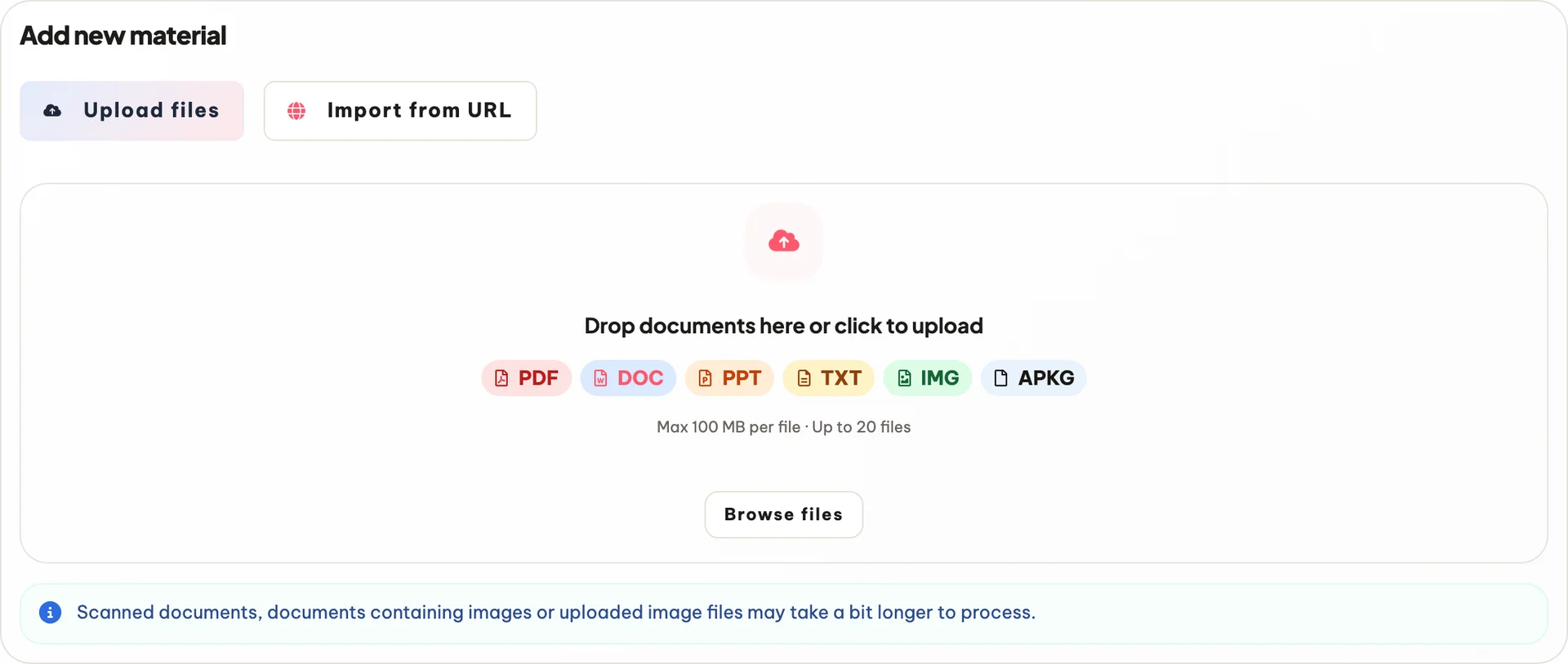
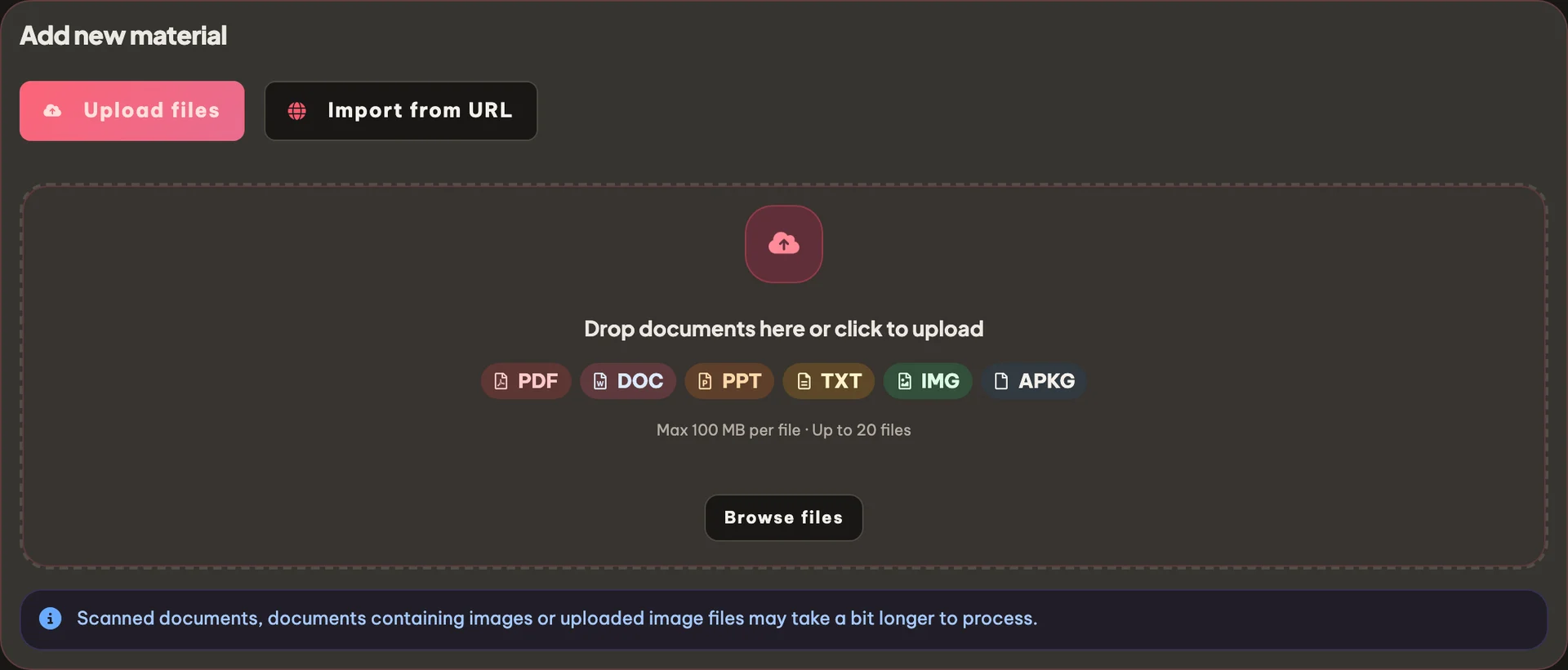
Carrega o teu documento
PDFs, ficheiros DOCX, apresentações PowerPoint, ficheiros de texto ou imagens, ou importa um artigo da web por URL. Até 20 ficheiros por lote.
PDF · DOCX · PPTX
Até 40 MB
Colar notas
02
Escolher tópicos
Escolhe os temas que queres resumir
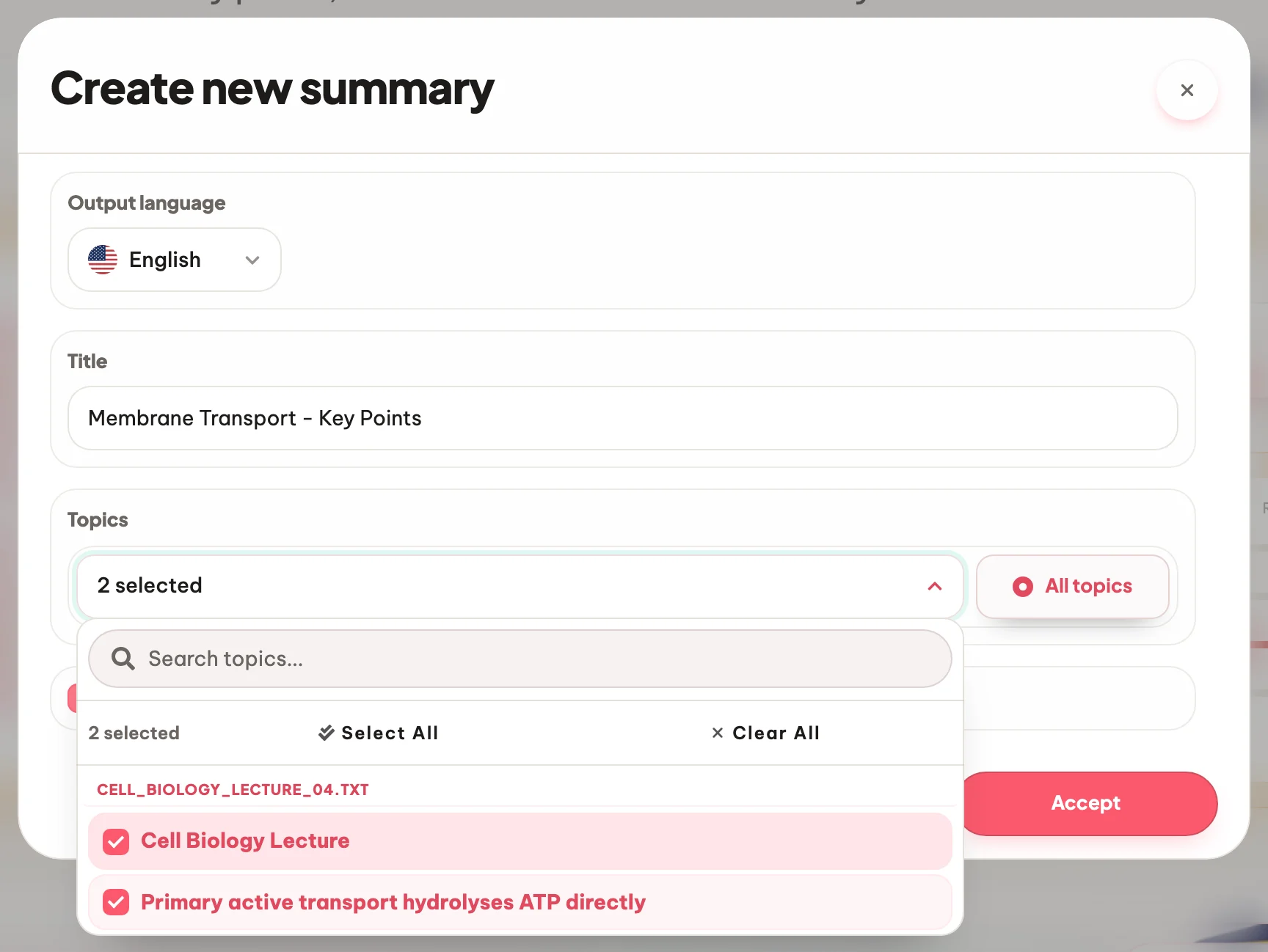
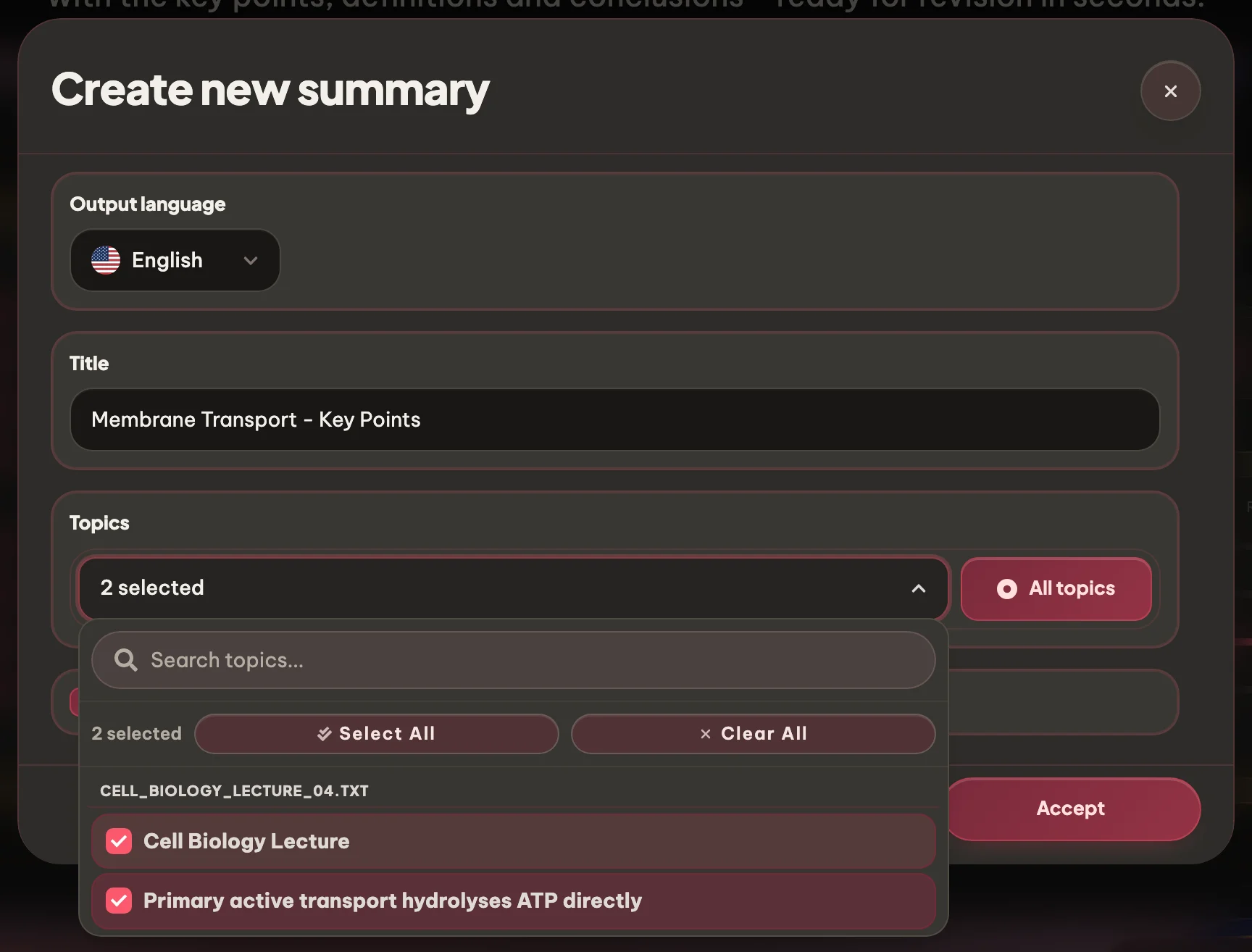
O Eduloo extrai automaticamente os temas do teu documento. Seleciona os que queres incluir ou usa o botão de todos os temas para incluir tudo.
Escolher tópicos
Ativar/desativar todos os tópicos
OCR para digitalizações
03
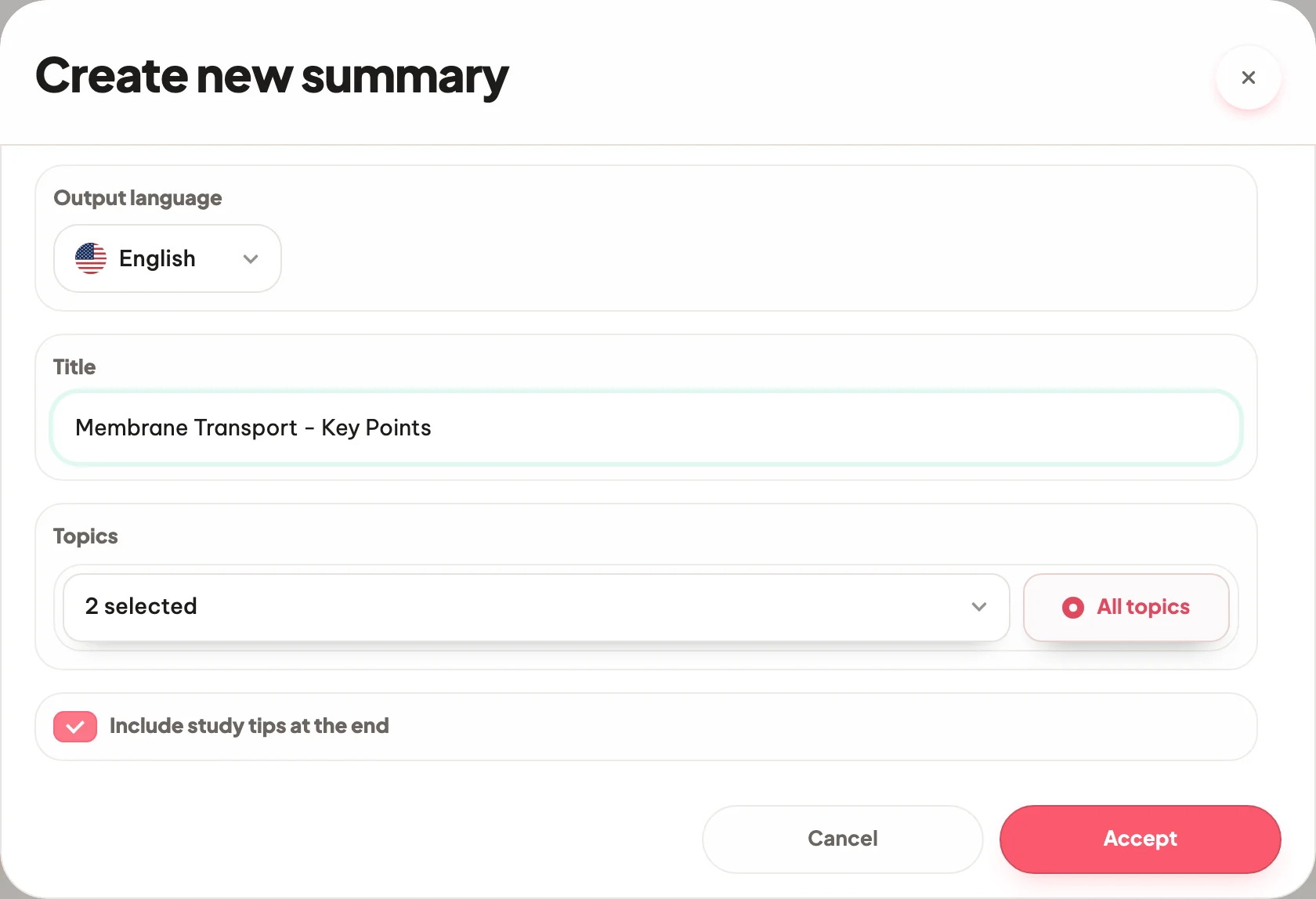
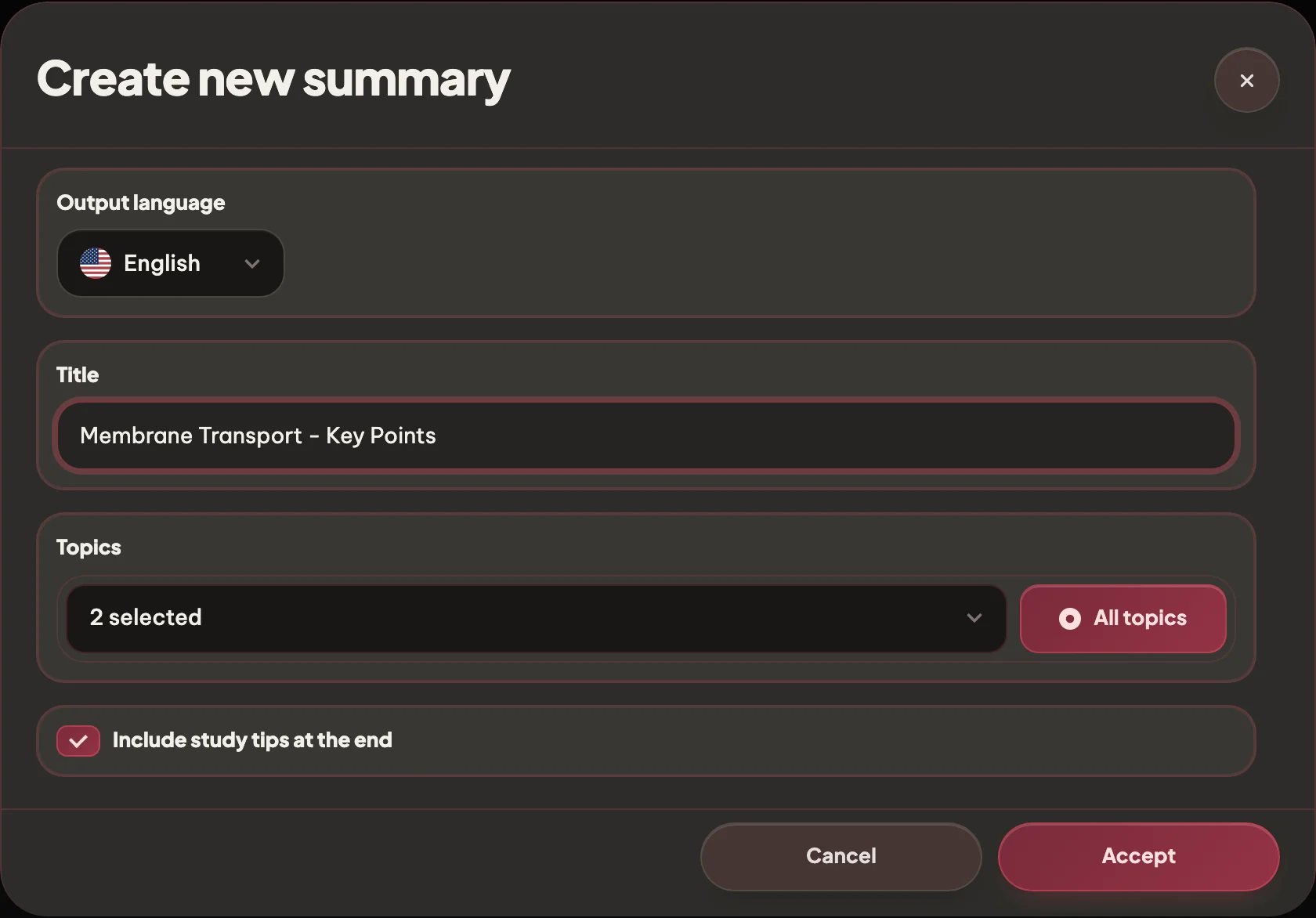
Gerar
Escolhe o idioma e o título
Gera o resumo no teu idioma de estudo (18 disponíveis) e dá-lhe um nome para o encontrares facilmente mais tarde na tua biblioteca.
Mais de 20 línguas
Título personalizado
Editar mais tarde
04
Ler e ligar de volta
Lê, refina e volta à fonte
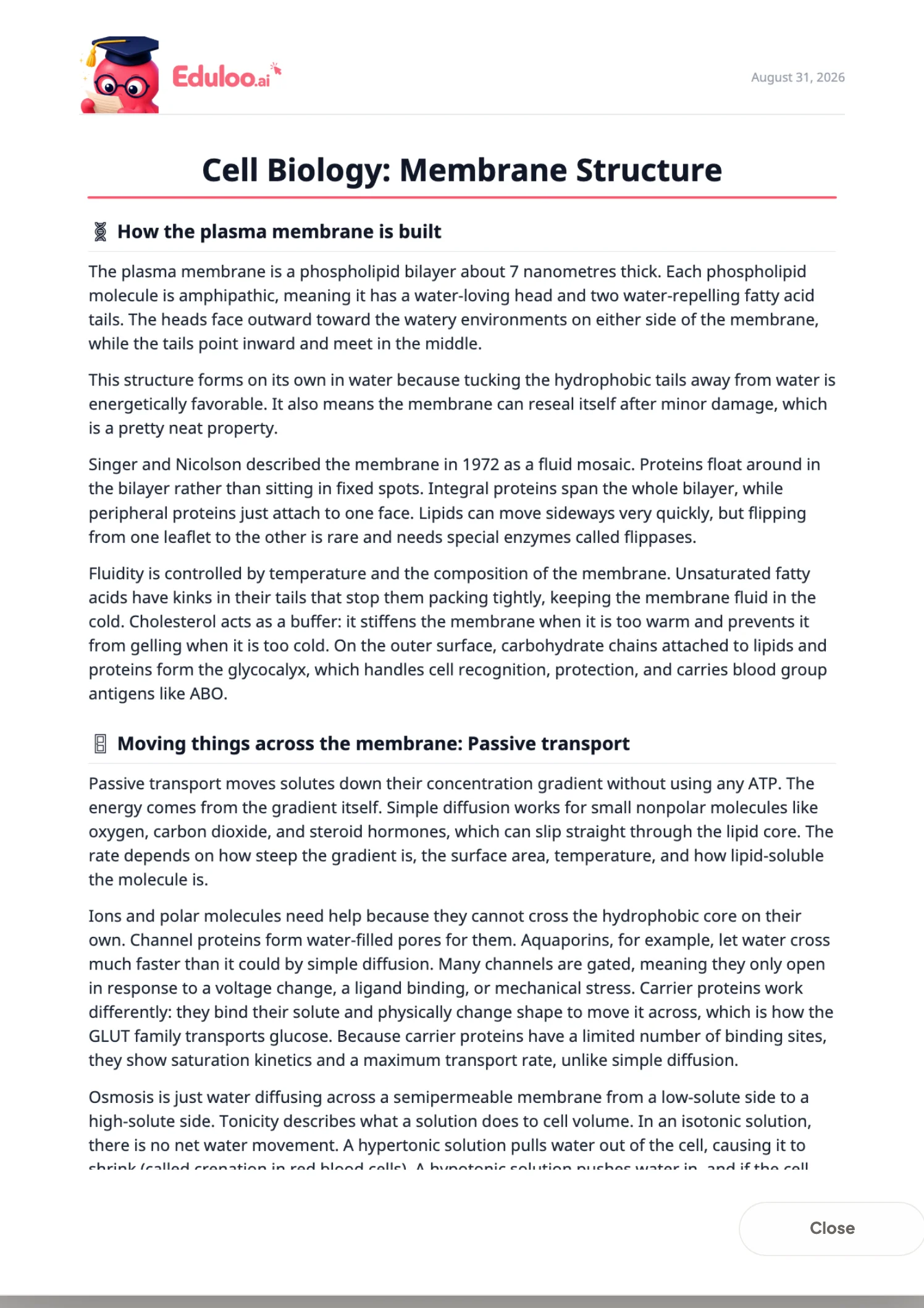
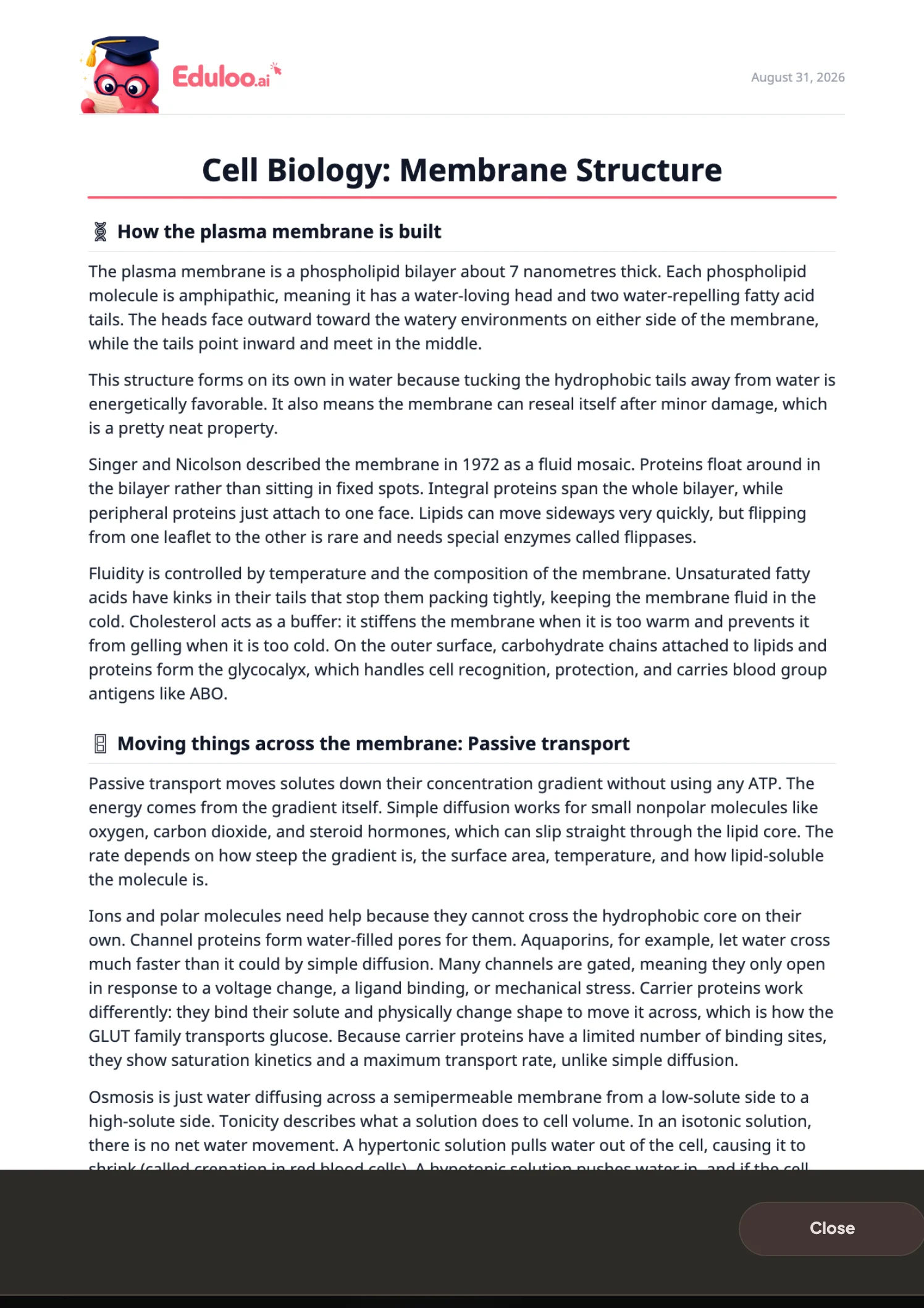
Os resumos são apresentados em cartões limpos e fáceis de percorrer. Clica em qualquer tema para voltar à secção correspondente no teu documento, para que o resumo se mantenha fiável.
Disposição dos cartões
Ligação à fonte
Compatível com telemóvel
Porque funciona melhor
Comparado com resumidores genéricos e releitura.
Os resumidores genéricos condensam tudo num único parágrafo. O Eduloo preserva a estrutura da tua fonte, cria ligações para o original e permite-te escolher os tópicos que te interessam.
Comparar
O que realmente queres de um resumo de estudo
Reler a fonte
Predefinição
Resumidor de IA genérico
Resultado num único bloco
Eduloo Summaries
Estruturado para o estudo
Tempo até à primeira recapitulação
Horas por capítulo
Rápido, mas recebes apenas um parágrafo
Uma recapitulação estruturada dos tópicos que escolheste em segundos
Estrutura preservada
Sim, estás a ler a fonte
Condensado num único bloco
A hierarquia de tópicos da fonte é espelhada no resumo
Controlo ao nível do tópico
Tu decides o que saltar
Resume tudo por predefinição
Marca os tópicos específicos que queres, ou usa o botão para selecionar todos
Ligação à fonte
Já estás na fonte
Sem ligação ao teu documento
Cada tópico liga à sua secção exata na tua biblioteca
Língua de saída
Seja qual for o idioma do original
Algum suporte, varia consoante a ferramenta
Mais de 20 línguas de saída, lê na tua língua de estudo independentemente da fonte
Edição e organização
Destaques, na melhor das hipóteses
Resultado bloqueado
Renomear, regenerar com nova combinação de tópicos, eliminar - a biblioteca mantém-se organizada
Custo para experimentar
Gratuito, mas lento
Frequentemente pago
Gratuito como convidado, sem registo
Tudo o que podes fazer
Tudo o que o resumidor trata por ti.
A geração é o destaque. A seleção de tópicos, o clique direto, a pesquisa e o filtro tornam os resumos utilizáveis ao longo de um semestre.
01Criar
Gerar a partir de qualquer documento
Transforma um PDF, apresentação de diapositivos, DOCX ou notas coladas num resumo estruturado que abrange os tópicos que selecionares.
Escolhe tópicos, um ou vários
Escolhe exatamente quais os tópicos de um documento que devem aparecer no resumo - ou inclui todos com um só botão.
Ativar/desativar todos os tópicos de uma vez
Um clique para incluir todos os tópicos do documento, útil para resumos de revisão que precisam de cobertura total.
02Editar e organizar
Títulos personalizados
Dá um nome a cada resumo para que fiquem organizados por disciplinas, semestres e exames.
Editar títulos
Renomeia um resumo a qualquer momento - útil quando começas com um nome provisório e decides mais tarde como chamá-lo.
Regenerar
Não ficaste satisfeita com a primeira versão? Regenera com uma seleção de tópicos diferente ou num idioma diferente sem voltar a carregar o ficheiro.
Eliminar sem deixar rasto
Remove resumos individuais quando já cumpriram o seu propósito. Um passo de confirmação protege contra cliques acidentais.
03Ler e navegar
Layout de cartões legível
Os resumos são apresentados numa grelha limpa de duas colunas no computador e numa coluna no telemóvel, com cabeçalhos de tópico bem definidos.
Ligação à fonte
Cada tópico está ligado à respetiva secção da tua biblioteca de documentos, para que possas verificar ou aprofundar com um clique.
Distintivos de estado
Cada resumo mostra o seu estado atual de relance, para saberes o que está pronto a ler e o que ainda está a ser gerado.
04Encontrar e levar
Pesquisar resumos
Escreve qualquer palavra para encontrar um resumo pelo título. Mais rápido do que percorrer a biblioteca quando a lista cresce.
Filtrar por estado
Filtra a biblioteca de resumos por estado de geração para encontrares facilmente os que estão a ser criados ou os que já estão prontos.
Mais de 20 línguas de saída
Gera resumos no teu idioma de estudo - inglês, alemão, francês, espanhol, italiano, português e muitos outros.
Leitura otimizada para telemóvel
O layout móvel de coluna única mantém-se legível em qualquer telemóvel - perfeito para rever no autocarro.
Resumos do Eduloo em detalhe
Porquê resumos estruturados superam os parágrafos comprimidos.
Uma leitura breve sobre o que é realmente um resumo útil para estudar.
§ 01Porque é que a maioria dos resumidores é inútil para estudar
Os resumidores genéricos comprimem texto. Isso é útil para um artigo de notícias, mas inútil para um capítulo de manual. Quando estás a estudar, não queres um parágrafo, queres a estrutura: quais os tópicos, quais os subtópicos, quais as definições, quais as conclusões.
O resumidor do Eduloo mantém essa estrutura. O resumo espelha os tópicos do teu documento de origem, por isso parece uma versão condensada das tuas notas em vez de um bloco uniforme.
Um bom resumo preserva a estrutura da fonte, não a achata.
§ 02O controlo por tópico é importante
Um conjunto de 300 diapositivos raramente precisa de ser resumido do início ao fim. Talvez só queiras uma revisão dos três temas do exame da próxima semana. O Eduloo permite-te selecionar os temas específicos que queres incluir, para que o resumo tenha exatamente o tamanho e o formato de que a tua sessão precisa.
Se quiseres ver tudo, o ativar/desativar todos os tópicos inclui tudo num único clique.
§ 03O resumo como ferramenta de navegação
Como cada tópico do resumo tem uma ligação à secção correspondente na fonte, o resumo funciona também como um índice inteligente do documento. Percorre o resumo, encontra o ponto em que tens mais dificuldades, clica no original e já estás na página certa.
§ 04Combinar resumos com testes e cartões de estudo
Um fluxo de trabalho comum no Eduloo: carrega um documento, gera um resumo para identificar o que é importante, gera flashcards sobre esses tópicos e depois gera um questionário para testar a memorização. A mesma fonte, três ferramentas, um clique cada. O resumo é o mapa - os flashcards e os questionários são a forma de o percorrer.
§ 05Estudar numa língua diferente da fonte
Se o teu manual está em inglês mas estudas em alemão, os resumos podem ser gerados diretamente no teu idioma de destino, mantendo os termos técnicos precisos legíveis. O mesmo se aplica aos outros idiomas suportados.
FAQ
Perguntas frequentes perguntas
Sim. Podes gerar e ler resumos como convidado sem precisares de conta. A capacidade é limitada e o armazenamento é temporário no modo de convidado; cria uma conta gratuita para manteres os teus resumos a longo prazo.
PDFs, DOCX, PowerPoint (PPTX), ficheiros de texto simples e imagens. Também podes importar um artigo da web diretamente a partir do URL. PDFs baseados em imagens também funcionam graças ao OCR integrado.
Sim. O Eduloo extrai os tópicos do teu documento e permite que escolhas exatamente os que queres no resumo. Ou usa o botão de todos os tópicos para cobertura total.
Sim. O idioma de saída é selecionado por geração e são suportados 18 idiomas, por isso podes ler um manual em francês e obter um resumo em alemão.
Normalmente entre segundos e um minuto, dependendo do tamanho do documento e do número de tópicos. A biblioteca de resumos mostra um indicador de estado claro enquanto a geração está em curso.
Sim. Os resumos abrem num editor onde podes reescrever o texto diretamente, e também podes renomeá-los, regenerá-los com uma seleção de tópicos diferente ou eliminá-los.
Sim. Os tópicos remetem para o documento de origem e o resumo espelha essa hierarquia - obtens um resumo estruturado, não um parágrafo achatado.
Sim. Cada tópico no resumo liga de volta à sua secção na biblioteca de documentos, para que possas verificar ou aprofundar com um clique.
Os resumos de convidado são guardados durante 30 dias e depois eliminados automaticamente. Cria uma conta gratuita para os guardar permanentemente.
Sim. O seletor de tópicos lista os tópicos de todos os documentos da tua biblioteca, por isso podes selecionar tópicos de vários documentos e obter um resumo que os abrange todos.
Ver em ação
Pronto para experimenta ?
Vê uma demonstração rápida e depois experimenta gratuitamente como convidado, ou escolhe um plano quando estiveres pronto.
Gostas do que vês? Guarda o teu trabalho.
Cria uma conta gratuita para guardar tudo o que criaste como convidado, remover os limites do modo de convidado e sincronizar entre dispositivos.