



Anki Import - bring your Anki decks into Eduloo

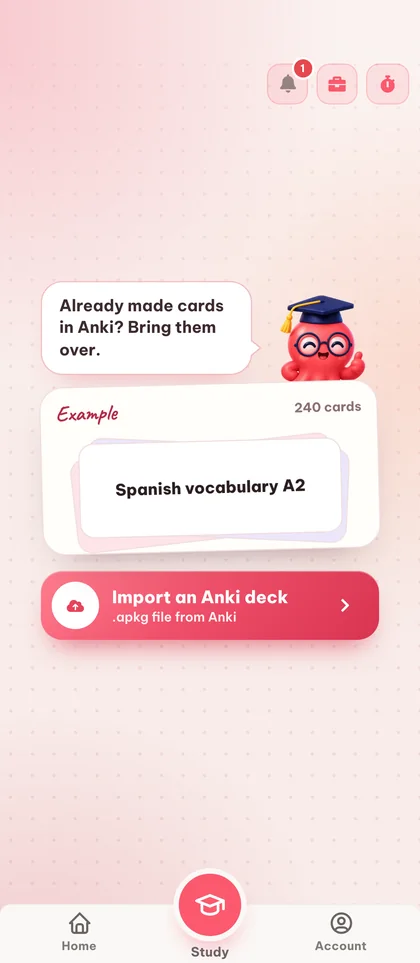
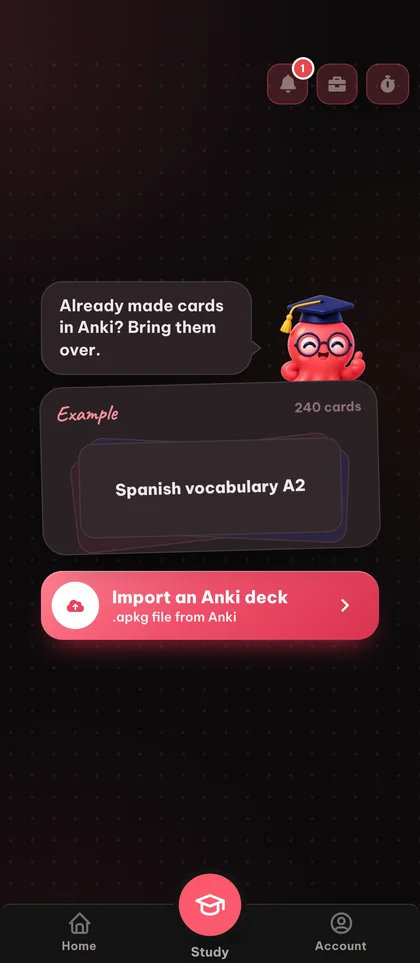
Bring your existing Anki .apkg decks straight into Eduloo. Browse your topics, study with the same spaced-repetition flow you already know, and export any deck back to .apkg whenever you want.

Guest mode

You are using the Eduloo Anki tools as a guest. The demo is fully functional but with limited capacity and temporary storage. Create an account o log in to keep your data and unlock the full version.

Anki Import

Importa tus mazos de Anki existentes o exporta cualquier mazo a .apkg para repasar sin conexión.

Import your Anki cards - Loo will keep them tidy.

Importar mazo de Anki

Suelta un archivo .apkg: los nombres de los mazos se toman del archivo.

Drop .apkg file here or click to browse

Tus mazos

Explora las tarjetas de cada mazo o expórtalo como archivo .apkg.

Aún no hay mazos

Importa un archivo .apkg o crea un mazo de tarjetas para exportarlo más tarde.

Cómo funciona

De .apkg file to live study session in four steps.

Four steps between the .apkg in your downloads folder and a real study session in your browser.

01 Import

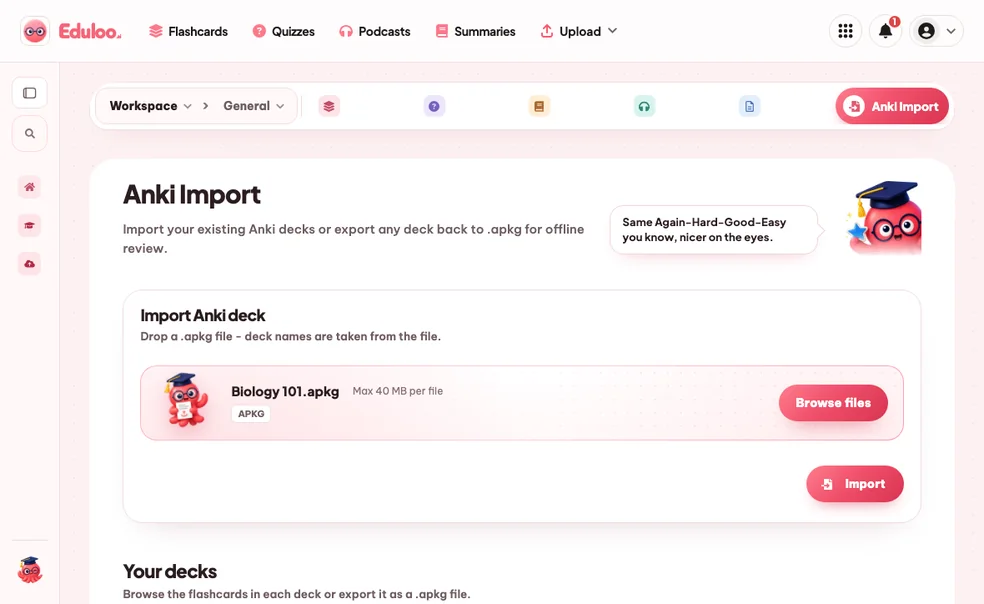
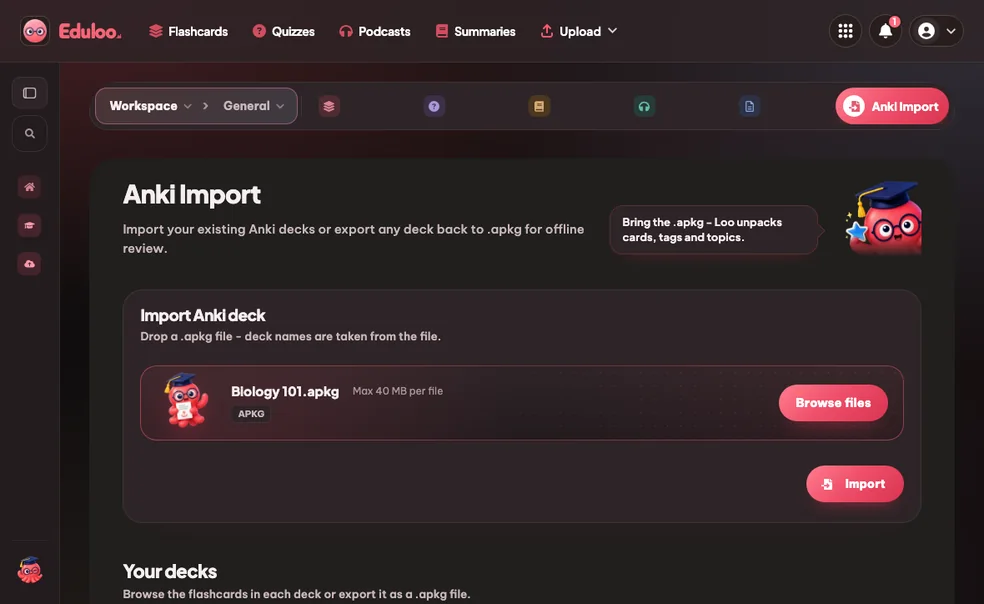
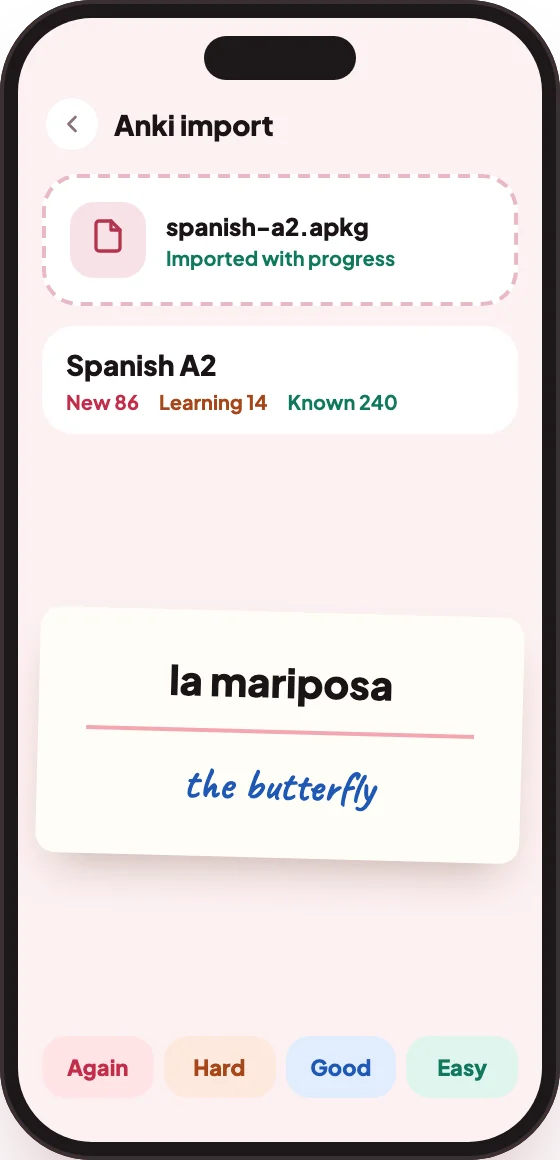
Import your .apkg deck

Drop in any Anki .apkg file - cards, deck structure, nested topics and tags come across as-is. Files up to 40 MB are supported.

Up to 40 MB Nested decks (::) Tags preserved
Import your .apkg deck
step.01
02 Browse

Browse by topic

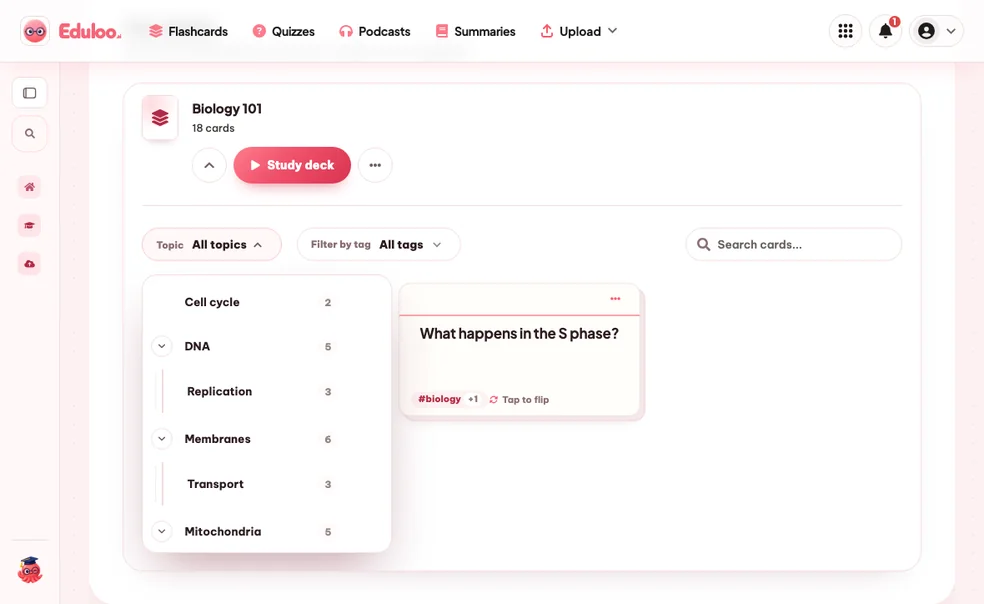
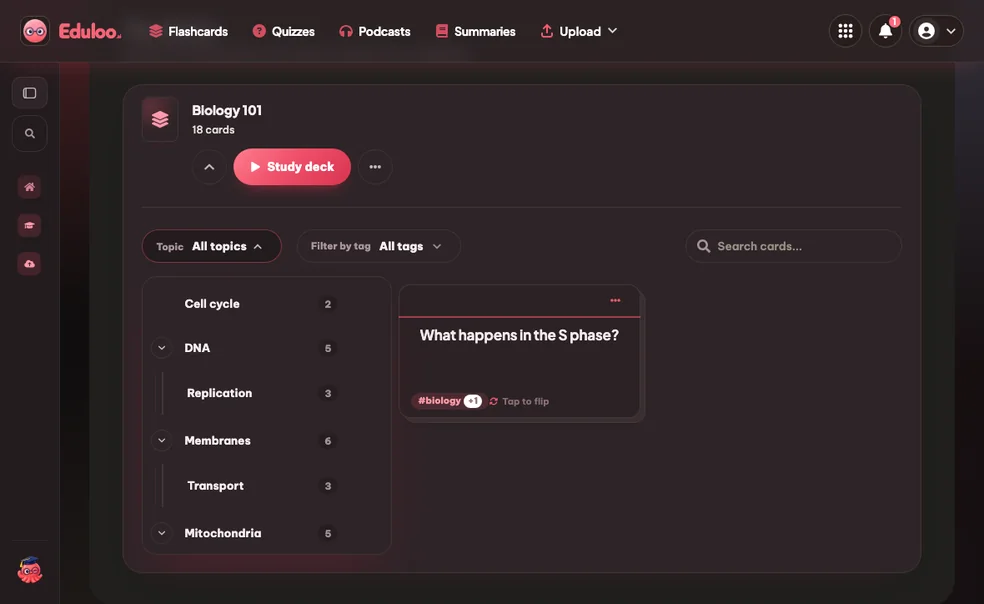
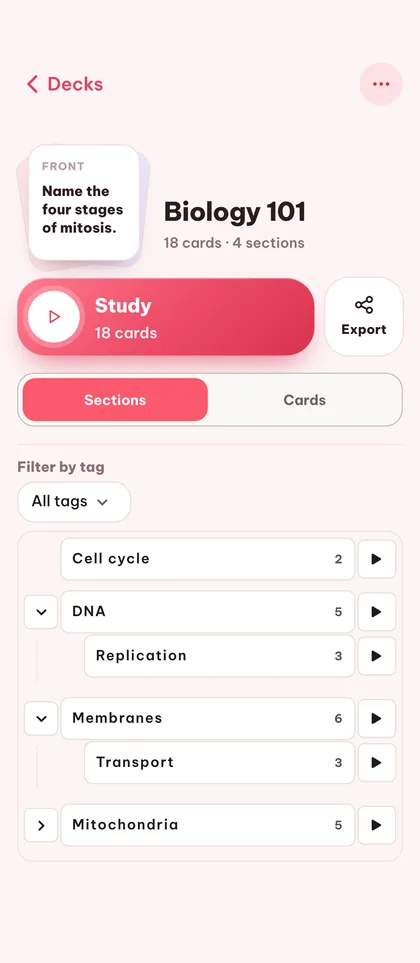
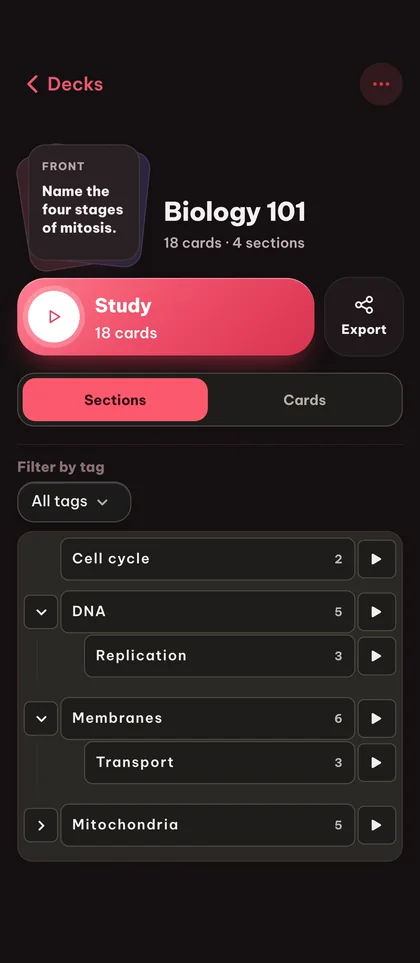
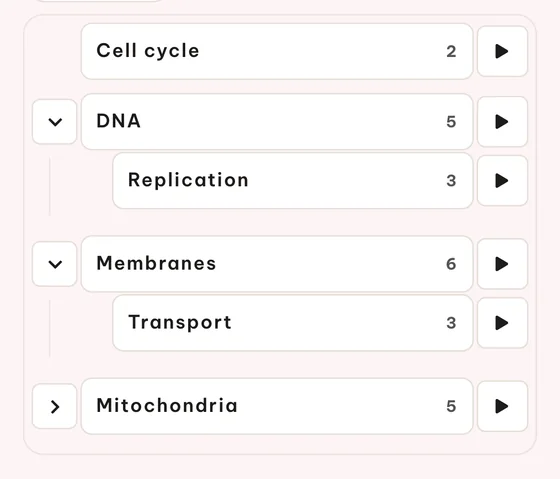
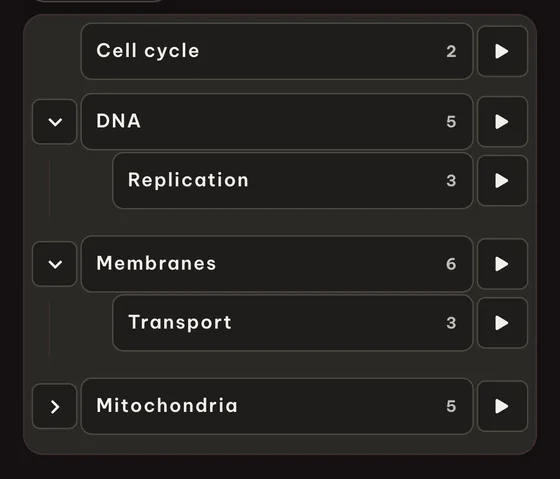
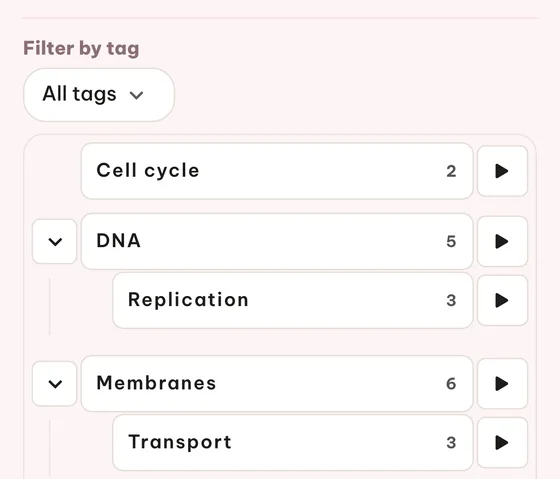
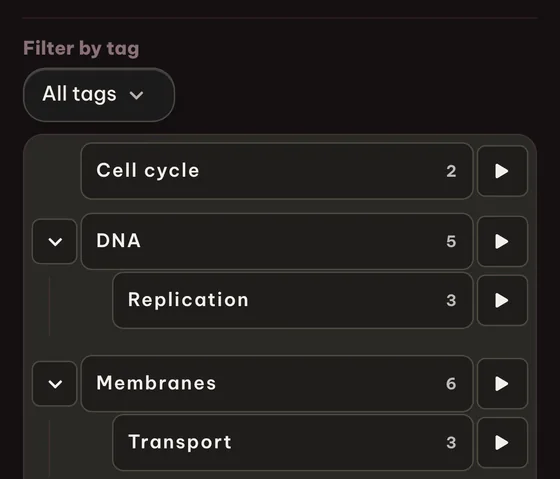
Eduloo lays out your Anki deck as a topic tree with card counts per topic. Expand a topic to see its sub-topics or jump straight to a card preview.

Topic tree Card counts Card preview
Browse by topic
step.02
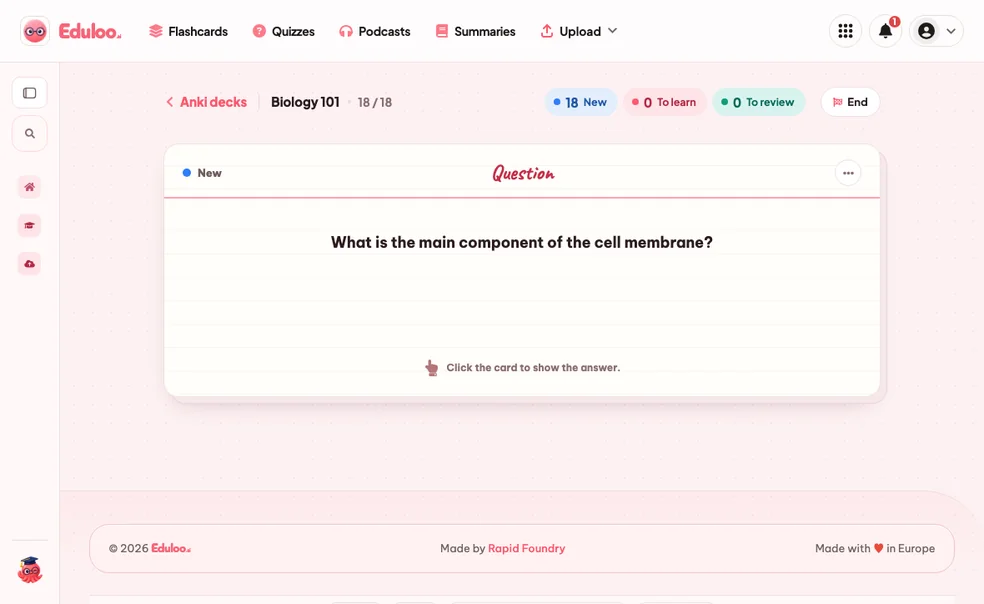
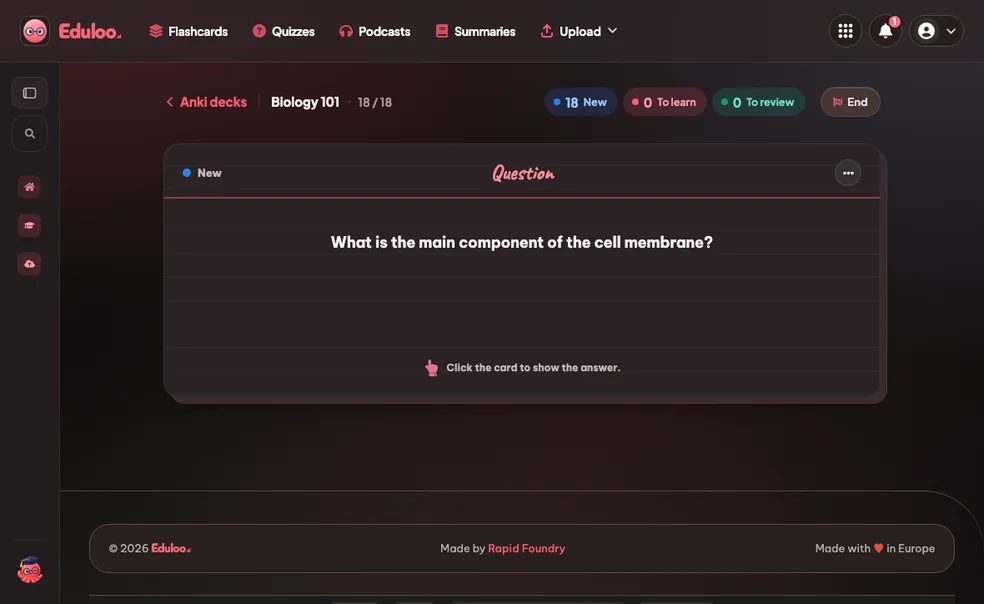
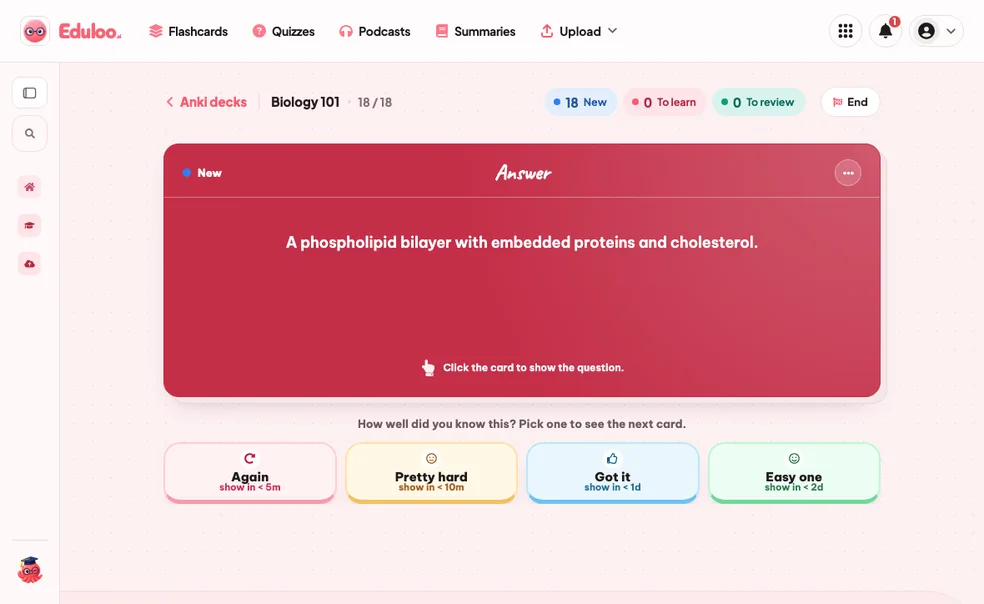
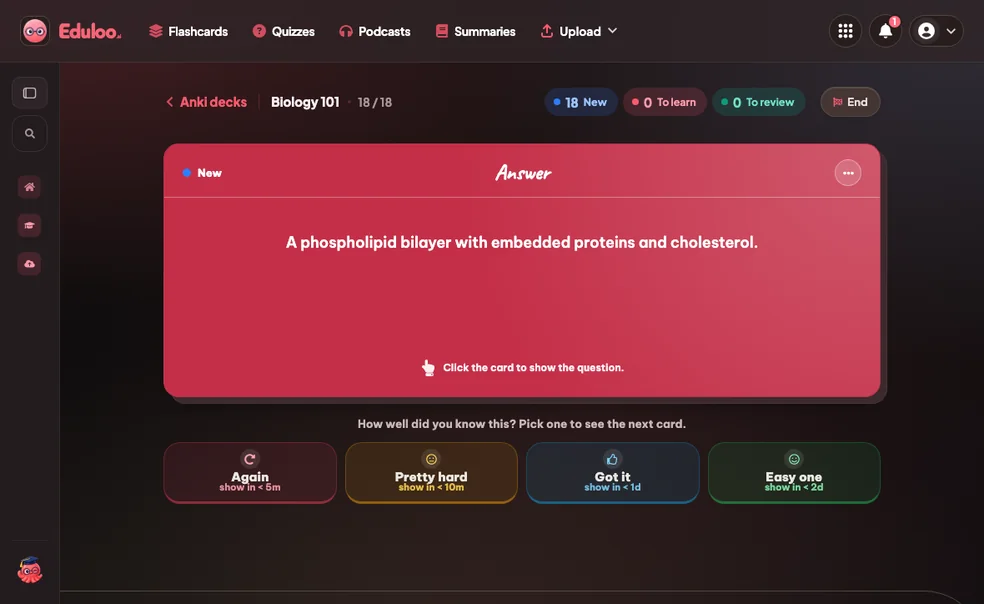
03 Study

Study with spaced repetition

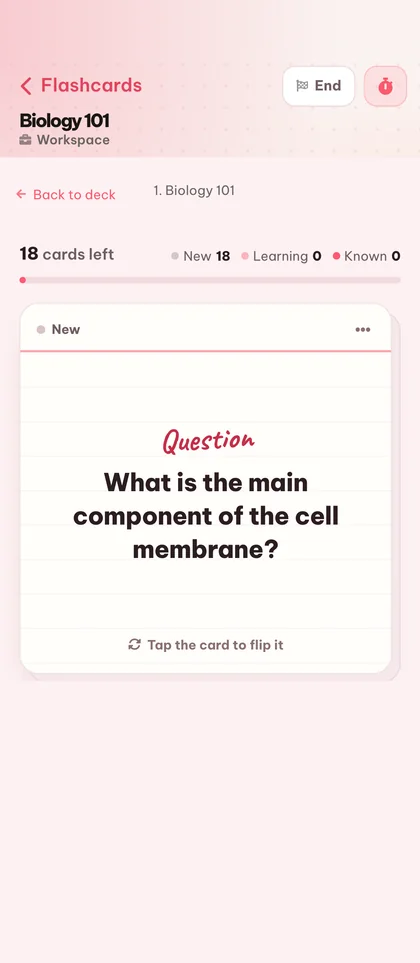
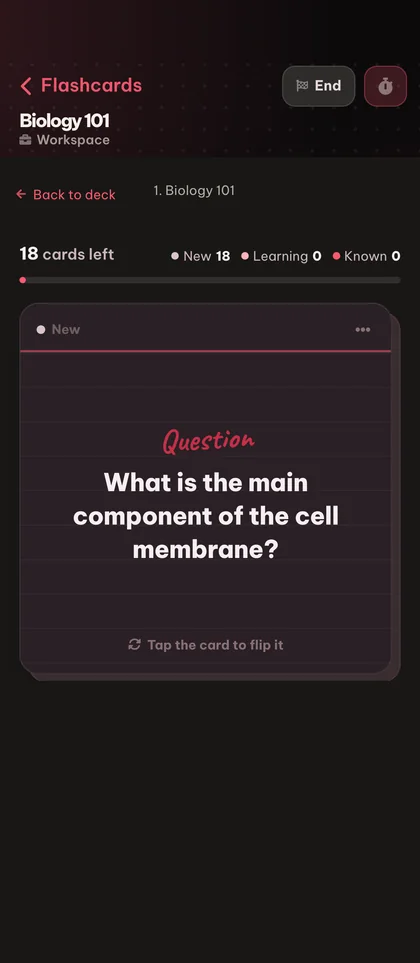
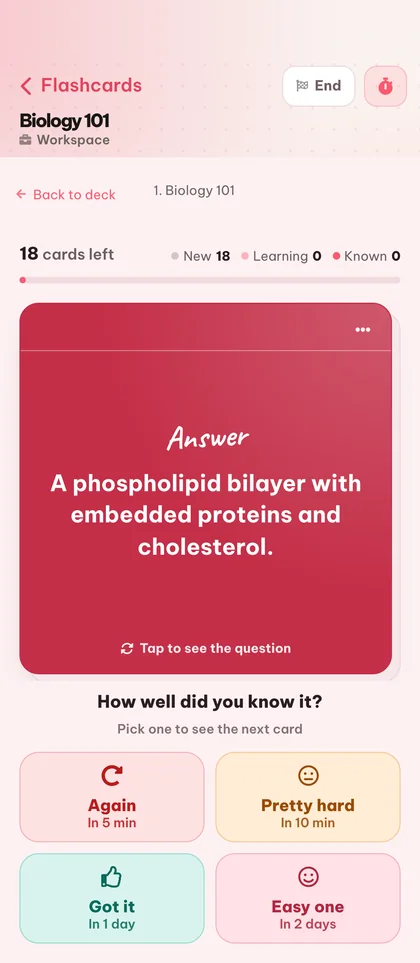
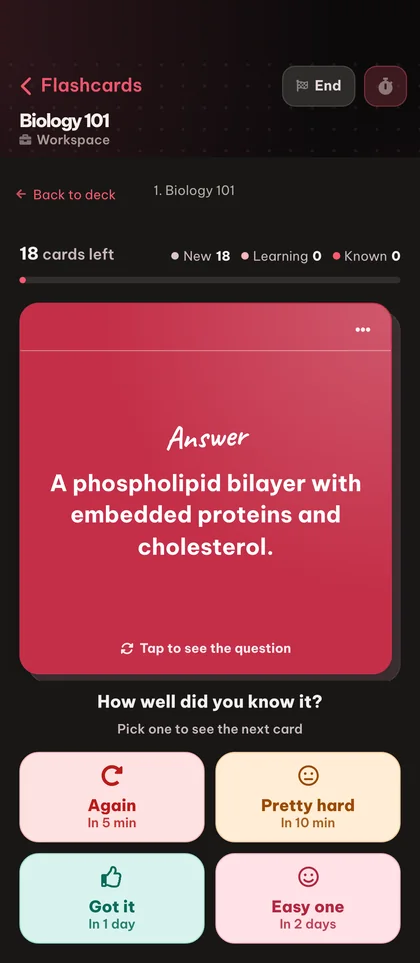
Start a study session on a single topic or the whole deck. Rate each card Again, Hard, Good or Easy and Eduloo adapts the schedule the same way Anki does.

Whole-deck or single-topic Again / Hard / Good / Easy Keyboard shortcuts
Study with spaced repetition
step.03
04 Exportar

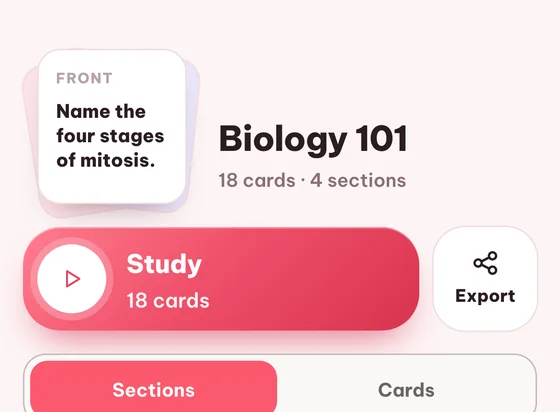
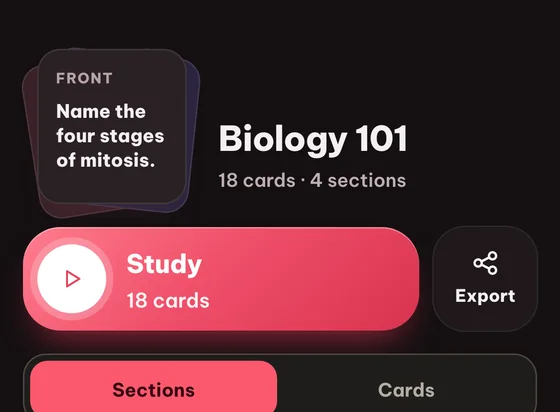
Export back to .apkg

Whenever you want, export your deck back to a standard Anki .apkg file. Your study data is portable - you never get locked in.

Round-trip .apkg Tags preserved Same structure
Export back to .apkg
step.04
Why it works better

Compared to desktop Anki alone or other web apps.

Anki is excellent, but its UI is dense and its mobile story is rough. Other web apps lock you in. Eduloo is a place to use your decks, not a place to trap them.

Comparar

What matters when you already have an Anki collection

Desktop Anki only

Battle-tested

Other Anki web apps

Often locked

Eduloo (Anki tools)

Open round-trip
Import .apkg
Native
Sometimes, often paywalled
Standard .apkg import, structure and tags preserved
Export .apkg back out
Native
Frequently locked
One-click export, your data stays portable
Structure & tags preserved
Varies, often partial
Nested :: decks become a topic tree, tags survive the round trip
Browsing UX
Powerful but dense
Varies wildly
Clean collapsible topic tree with card counts at every level
Spaced repetition
Gold standard
Approximation
Again / Hard / Good / Easy, the same four-rating model
Mobile experience
Possible, but rough
Mixed quality
Full-screen card view, one-handed controls, built for phones
Cost to try
Free on desktop
Often paywalled
Free as a guest, no signup
Everything you can do

Everything the Anki tools handle for you.

Import, browse, study and export, plus inline editing and cross-tool generation when you want more cards.

01Import & export
4 features · for the round trip
Anki .apkg import

Bring any standard Anki package into Eduloo - cards, deck structure, nested topics and tags all come across.

Anki .apkg export

Export any Eduloo deck back to .apkg with one click. Your study data is portable, always.

Nested topic tree

Topics with the familiar Anki :: separator render as a collapsible tree so you can navigate big decks fast.

Tag preservation

Card tags survive the round trip in and out of Eduloo, so your existing organization stays intact.

02Study
5 features · for the actual sessions
Study a single topic

Launch a study session on just one topic or sub-topic - perfect when only one section of the deck needs attention.

Study the whole deck

Or run the full deck in one session and let spaced repetition decide what to surface next.

Spaced repetition with 4 ratings

Rate each card Again, Hard, Good or Easy and the schedule adapts - the same logic Anki users know.

Keyboard shortcuts

Flip cards and rate answers with the keyboard. Faster than clicking once you build the habit.

Full-screen study mode

Distraction-free study view with clean flip animation - works on desktop and mobile.

03Browse & edit
5 features · for shaping imported decks
Search inside the deck

Find any card by typing a fragment of its question. Useful when you remember a card vaguely but cannot find the topic.

Card preview

Tap any card to preview the question, answer and tags before starting a study session on it.

Multi-select for batch actions

Select multiple cards at once to study, copy or remove them in bulk.

Rename imported decks

Replace the original Anki filename with something more useful for studying.

Edit any imported card

Once a deck is in Eduloo, every card is fully editable - polish a question, fix a typo, refine an answer.

04Manage
2 features · for housekeeping
Delete cards or whole decks

Remove a single card or wipe an entire imported deck. Confirmations protect against accidental loss.

Mobile-optimized

Study your imported Anki decks on your phone with full-screen card view and one-handed controls.

Eduloo for Anki users in depth

Why bring Anki into Eduloo at all?

A short read on the round trip, the rating model, and how to combine Anki imports with the rest of Eduloo.

§ 01Why bring Anki into Eduloo at all

Anki is the gold standard for spaced repetition. If you have built a serious deck collection, you have spent hundreds of hours on cards that work. The last thing you want is a tool that asks you to start over.

Eduloo does not ask you to. Import your .apkg, keep your structure, keep your tags, keep your study history's spirit (via the four-rating system you already know). You just get a cleaner interface, mobile-friendly study, and the option to generate complementary material from your other study sources when you need it.

Eduloo is a place to use your Anki decks, not a place to trap them.

§ 02How imports preserve structure

An Anki package contains a tree of decks (separated by ::), cards with question and answer fields, and tags. Eduloo's importer reads all three. After import, you see a topic tree that mirrors your Anki deck hierarchy, with card counts at every level so the size of each topic is visible at a glance.

Card tags survive import and export so your existing categorization is preserved. If you ever export back to .apkg, the deck you get is shaped like the deck you brought in.

§ 03Studying imported decks

Eduloo's study flow uses the same four-rating system Anki users already have automatic. Click Again when you forgot, Hard when you remembered with effort, Good for a clean recall, Easy for instant. The interval lengthens or shortens accordingly.

You can study a single topic (great for targeted weak-spot review) or the whole deck. New, To-Learn and To-Review counters keep your session focused so you always know what is left.

§ 04Editing without leaving the flow

Anki has a separate browse-and-edit view that pulls you out of the study session. Eduloo lets you edit any card inline - while studying, while browsing the topic tree, anywhere a card appears. Edits save immediately and you stay in your study loop.

§ 05Generating new cards alongside your Anki decks

Your Anki deck covers what you already studied. For new material, upload it to Eduloo as a document and generate flashcards, quizzes, summaries or a study podcast on those topics. The result lives next to your imported Anki deck, so the whole study session can happen in one place.

Preguntas frecuentes

Frequently asked questions

Are Eduloo's Anki tools free?

Yes. You can import .apkg decks, browse them, study them and export back to .apkg as a guest with no signup. Capacity is limited and storage is temporary in guest mode; create a free account to keep your imports permanently.

Do I need an account to import my Anki deck?

No. The Anki tools work in guest mode with no account at all. An account simply persists your imported decks long-term and lifts the guest caps.

What file format do I import?

Standard Anki .apkg packages. Drop the file in and Eduloo parses the decks, cards, structure, and tags it contains.

Is the original deck structure preserved?

Yes. Nested decks (with the :: separator) become a collapsible topic tree in Eduloo. Card tags survive the round trip, and exporting back to .apkg reproduces the structure.

Can I export an Eduloo deck back to Anki?

Yes. Any deck - imported or built inside Eduloo - can be exported as a .apkg file. Your data is portable, always.

Does the spaced repetition work the same as in Anki?

The rating system is the same four-button model Anki users know: Again, Hard, Good, Easy. The schedule adapts based on your ratings so struggle cards return sooner and mastered cards space out.

Can I edit imported cards?

Yes. After import, every card is fully editable - rewrite the question, refine the answer, add or remove from the card. Edits save instantly with no separate publish step.

What is the maximum .apkg size I can import?

Up to 40 MB per file. Larger decks can be split or imported in pieces - the same 40 MB limit applies to all uploads in Eduloo.

Will my Anki imports stay if I am not logged in?

Guest imports are temporary and will be deleted after the retention period shown in the guest banner. Create a free account to keep them permanently and to migrate everything you imported as a guest in one click.

Can I generate new flashcards alongside my imported Anki deck?

Yes. Upload your other study material (PDFs, slides, notes) and Eduloo's generator will create new flashcards, quizzes, summaries or podcasts that sit next to your Anki imports - one library, multiple sources.

See it in action

Ready to give it a try ?

Watch a quick demo, then jump in for free as a guest or pick a plan when you are ready.

Like what you see? Keep your work.

Create a free account to keep everything you build as a guest, lift the guest-mode limits, and sync across devices.

Anki is a registered trademark of Ankitects Pty Ltd. Eduloo is not affiliated with or endorsed by Ankitects.